Hacks
Here are some useful hacks for dealing with common ChRIS problems. These violate best practices. You didn't hear it from me!
Impersonating a User
Suppose you want to troubleshoot an account-specific problem for a ChRIS user, without having to ask for their password. You can obtain an authorization token for a given username from the Django admin shell. In a terminal, run
kubectl exec -it -n chris deploy/chris-server -- python manage.py shell
And execute the Python code:
user = User.objects.get(username='foo.bar')
Token.objects.get_or_create(user=user)
The console will print out a token which you can copy-paste and use to authenticate with CUBE.
Furthermore, you can edit the cookies in ChRIS_ui to impersonate the user. Open devtools (press F12). There are two cookies to edit:
- Edit the key and value of
{username}_token - Edit the value for
username
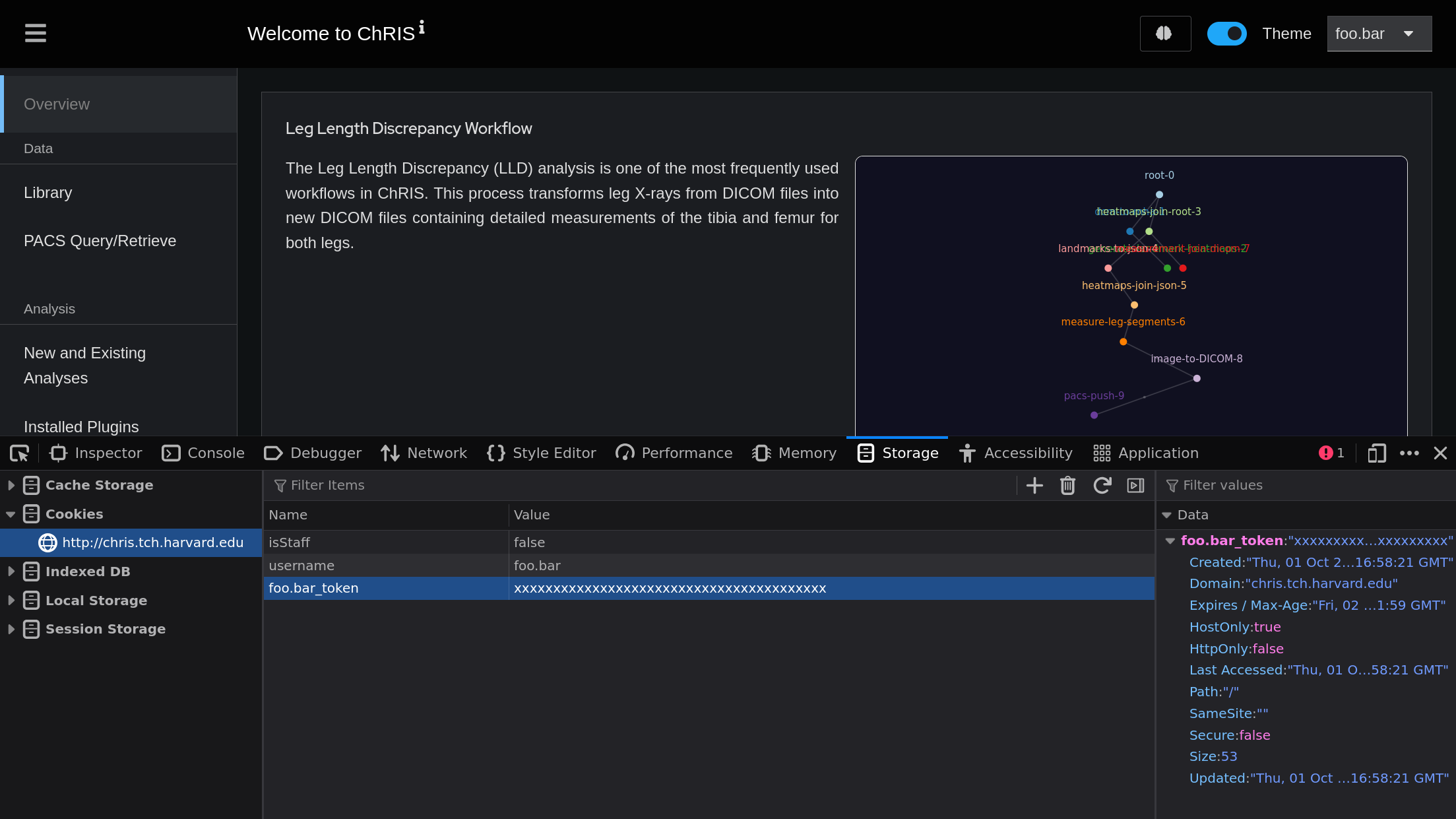
After editing the cookies, refresh the page (press F5). You should now be logged in as the target user.
Modifying Read-Only Plugin Properties
OOMKilled is a frustrating problem in ChRIS. Setting memory_limit for plugin
instances can be tedious, furthermore it can't even be set for plugin instances
created by a workflow.
The proper way to fix these problems is to delete the plugin then re-upload it. Alternatively, plugin properties can be modified in-place using the Django shell.
The min_memory_limit of a plugin can be increased using the Django shell.
First, open a Django Python shell, e.g.
kubectl exec -it -n chris deploy/chris-server -- python manage.py shell
Then find your plugin and customize it to your heart's content, though be mindful of how modification can break things for your users, and can violate reproducibility.
from plugins.models import Plugin
p = Plugin.objects.get(dock_image='fnndsc/pl-nii2mnc:1.1.0')
p.min_memory_limit = 2048
p.save()